
Variable tags are used to drive display within a value proposition. As noted in Variable Tags Overview, sometimes displaying variables on value driver slides helps to communicate your offering's value story.
Below is a value driver slide containing tagged variables.
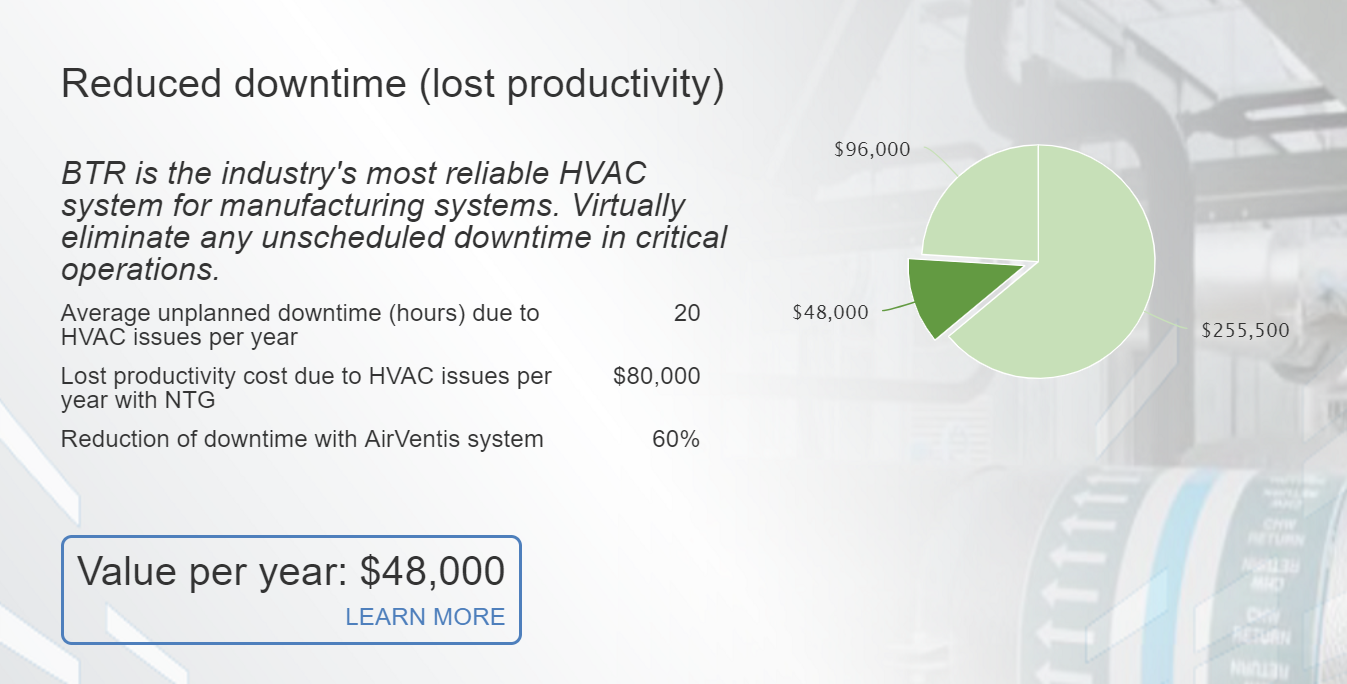
To make a variable appear on a Value Driver slide, you must use one of the following tags:
- Before
- Improvement
- After
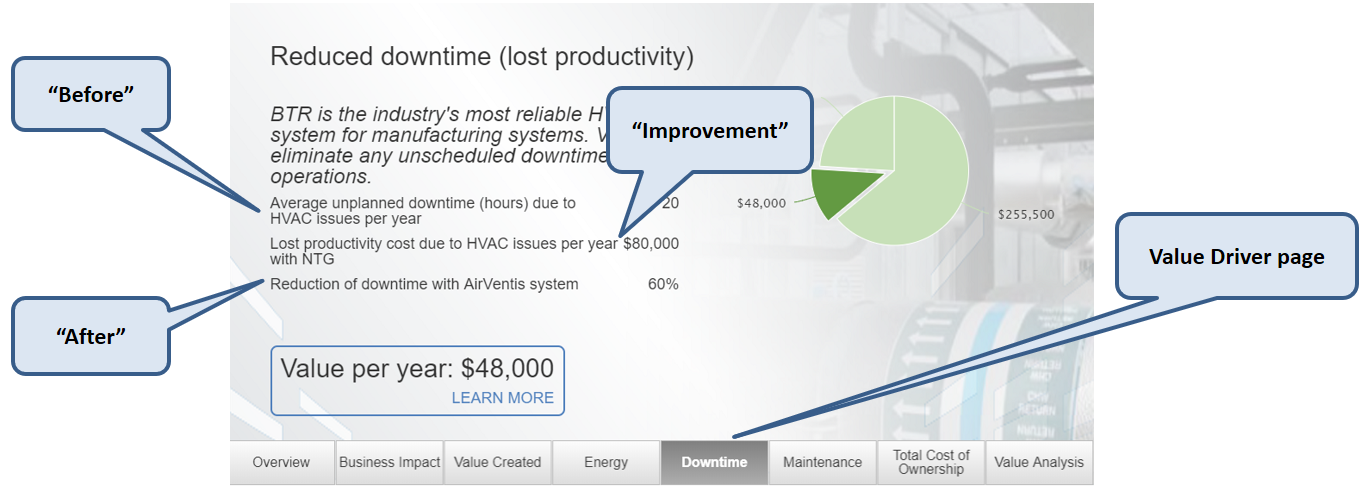
Variables tagged with "Before" appear first in a list of variables on a value driver slide. Variables tagged "Improvement" appear next, and variables tagged "After" appear last.
Note: If a variable is used in more than one value driver, tagging it with Before, Improvement, or After will make that variable appear on all value driver slides where it is used.
Comments
0 comments
Article is closed for comments.